WeChat Work
The Zadig account system supports integration with WeChat Work accounts, allowing users to log in to Zadig by configuring a WeChat Work application.
# Step 1: Create a WeChat Work Application
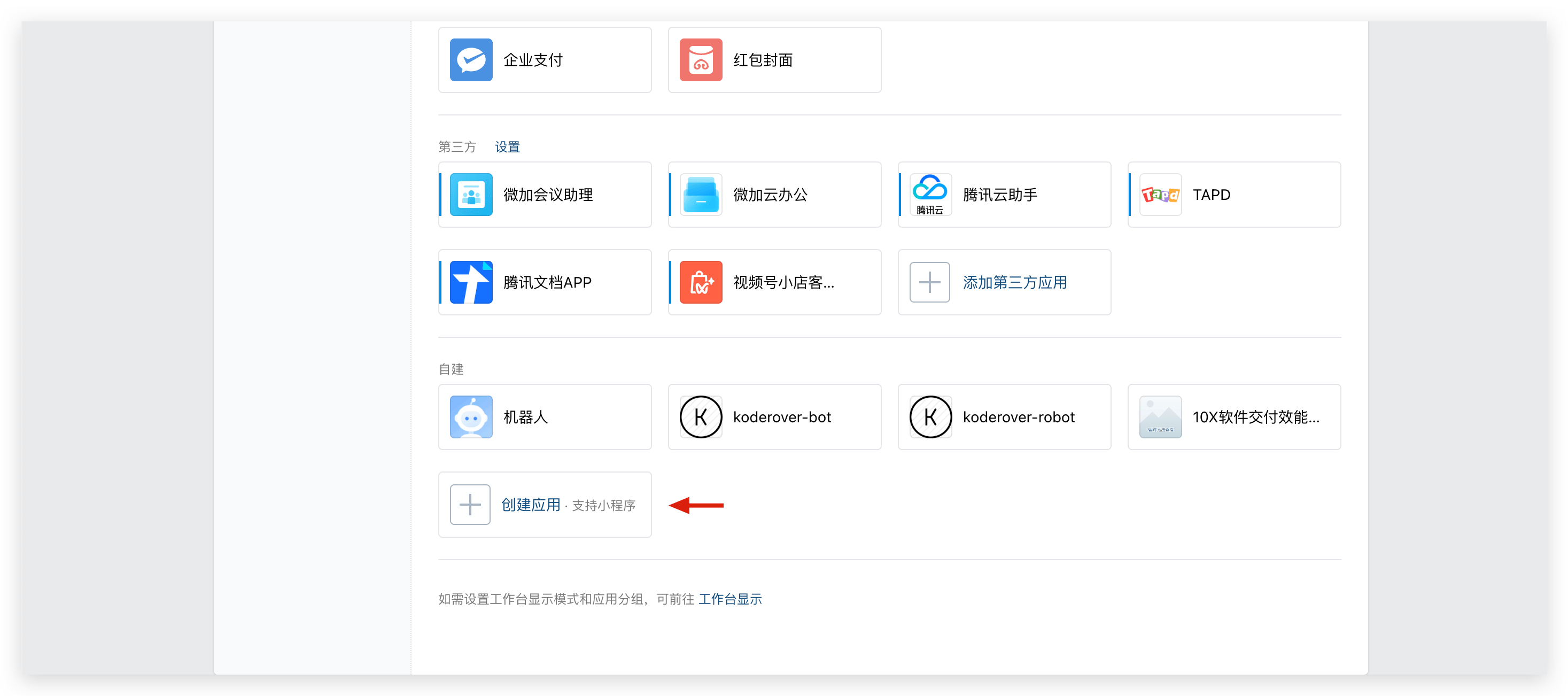
Visit the WeChat Work backend(opens new window) and create an application as shown below.
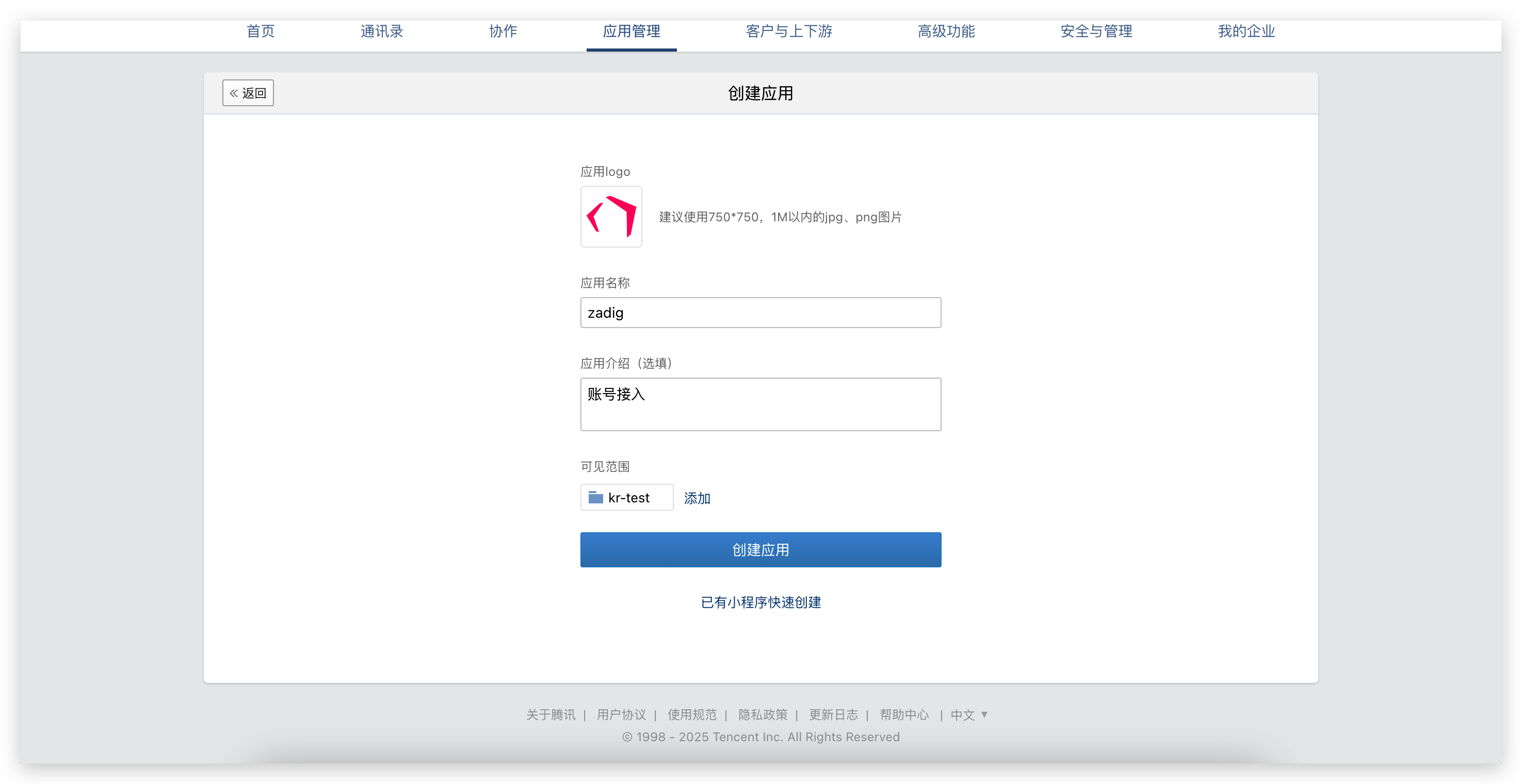
Obtain the
AgentIDandSecret.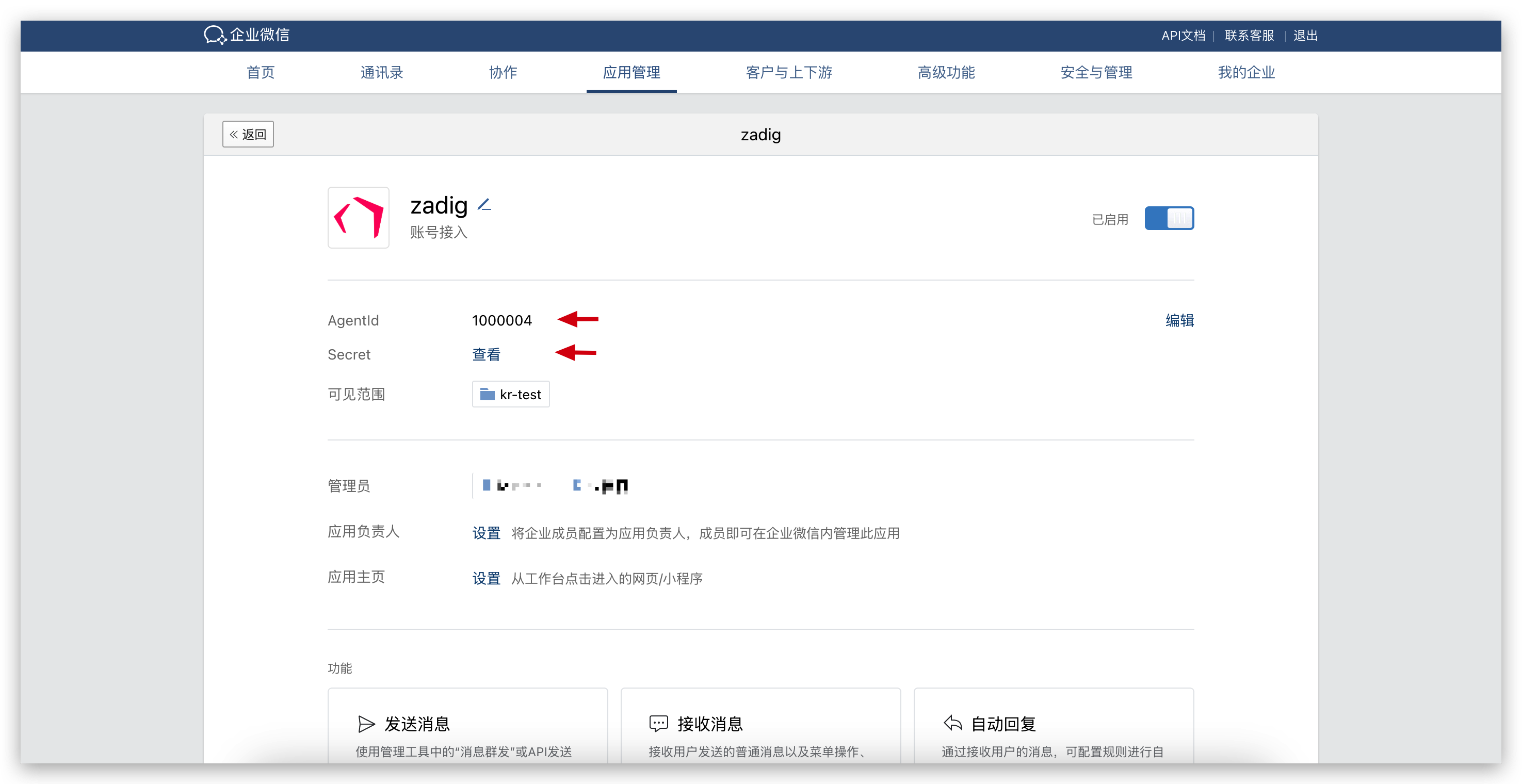
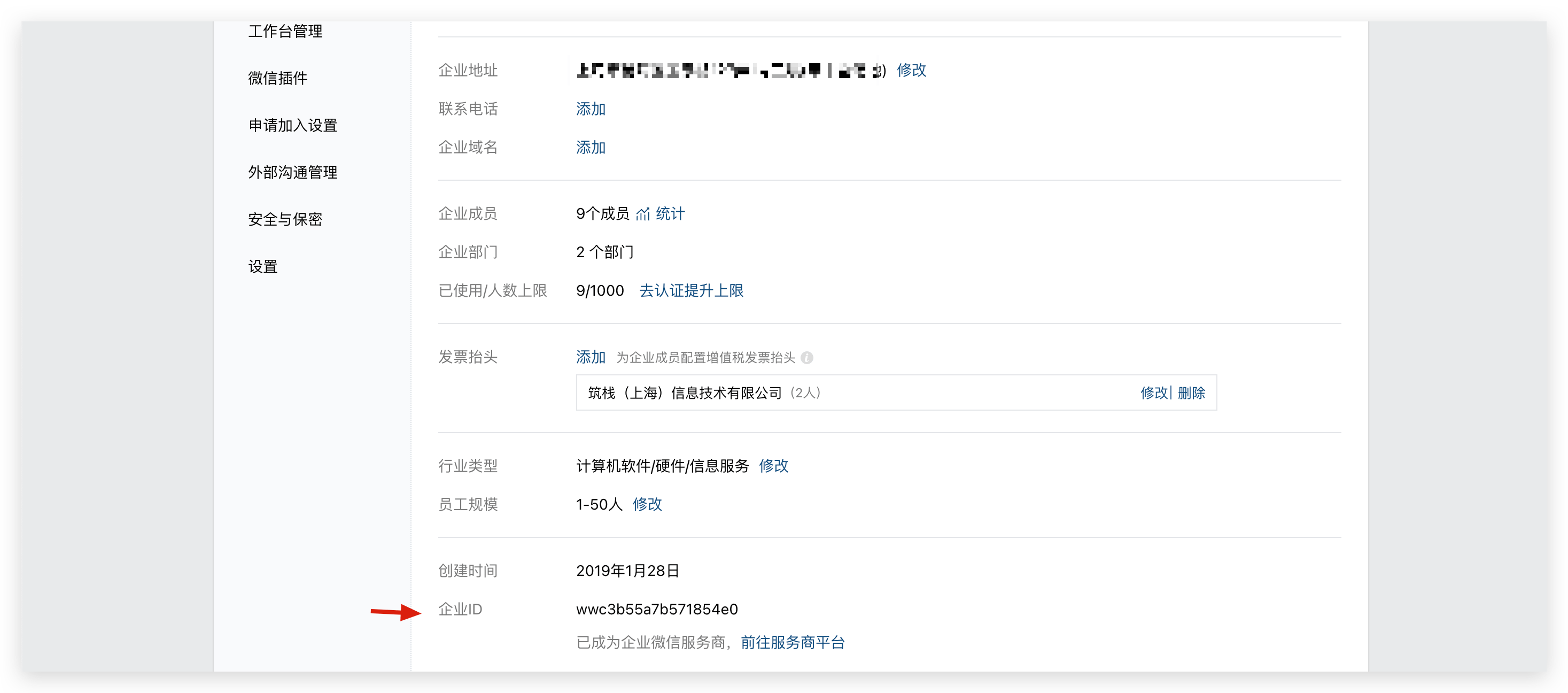
Go to "My Enterprise" -> "Enterprise Information" and get the
EnterpriseID.
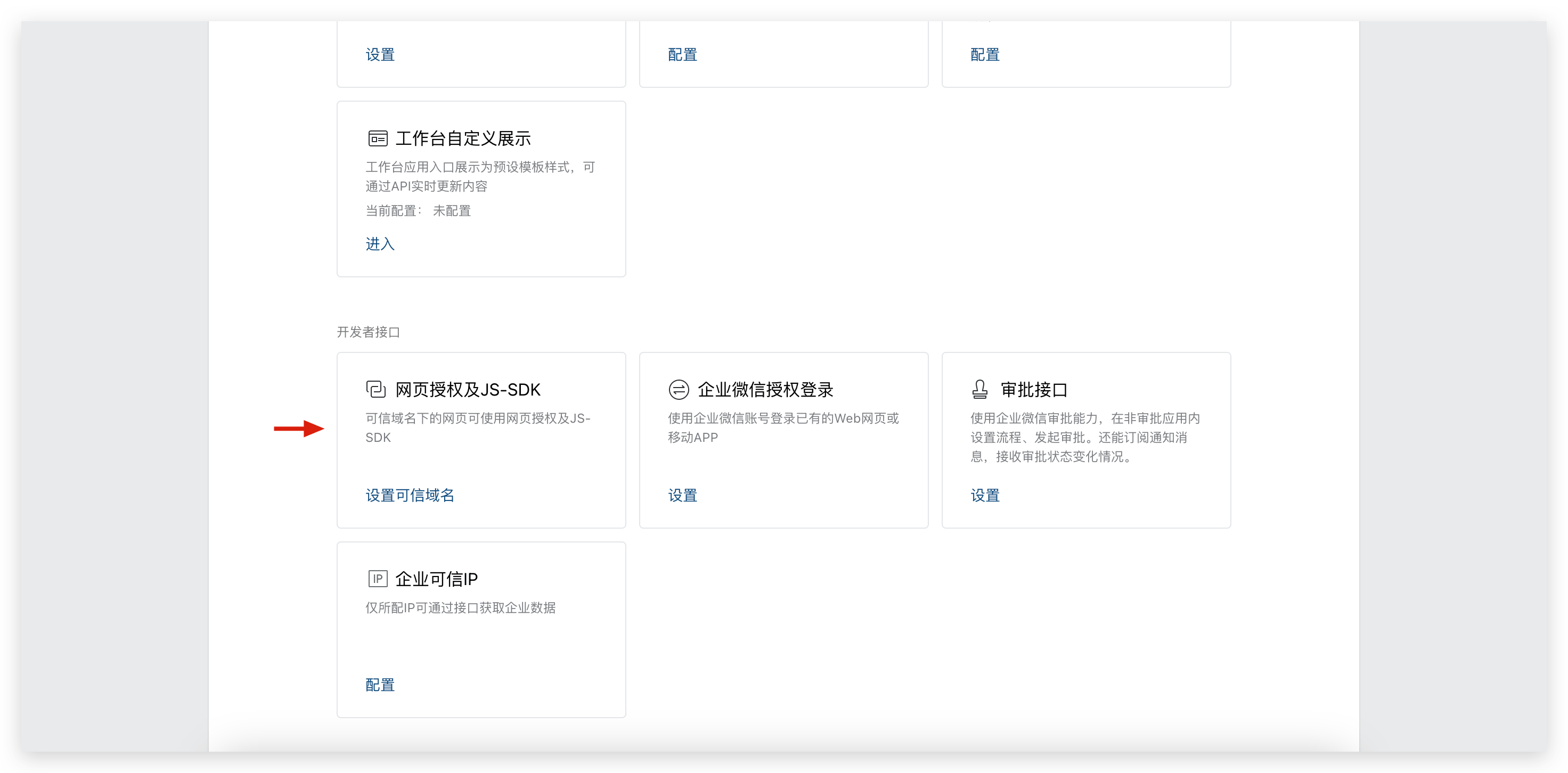
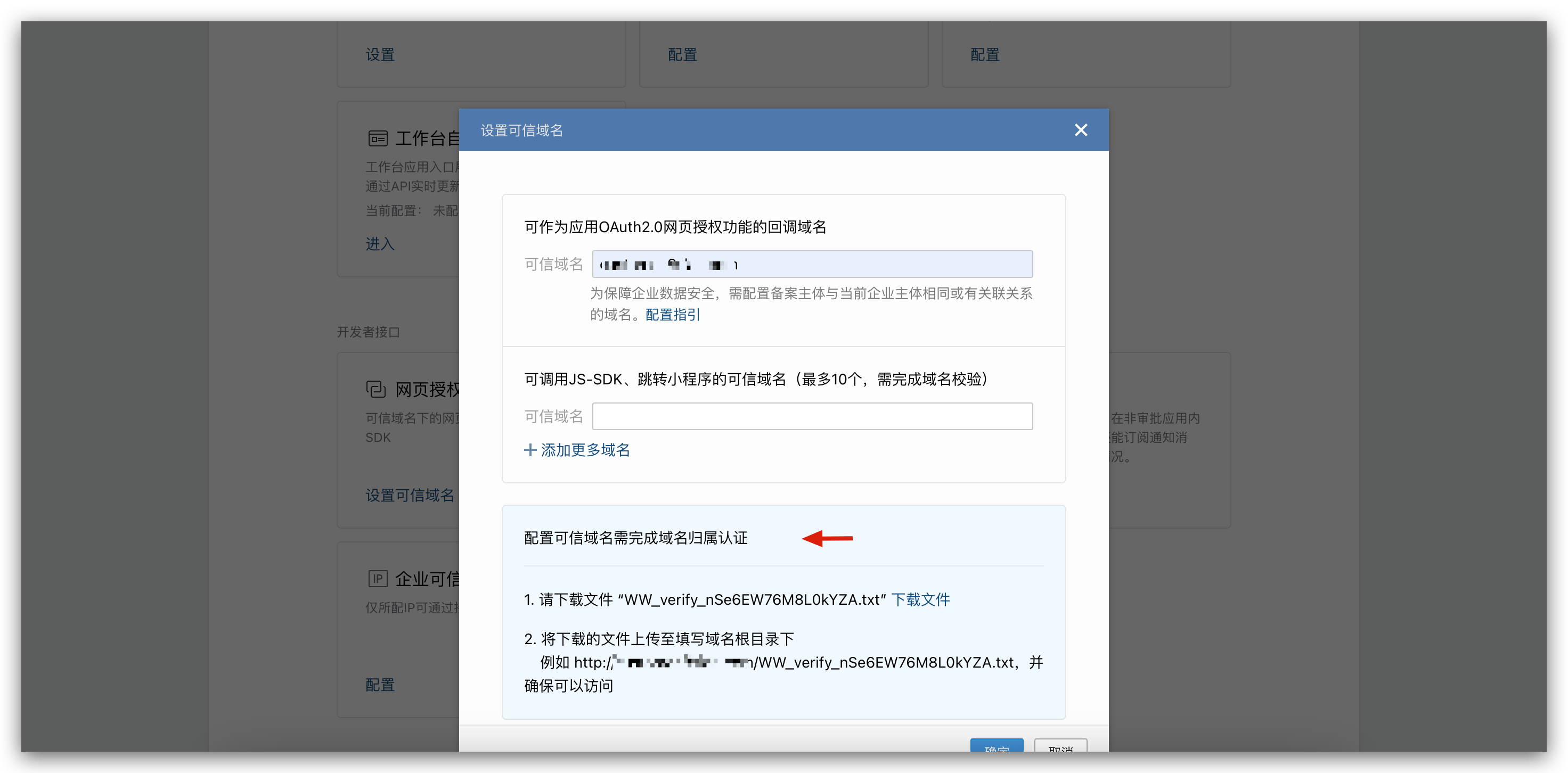
- Configure Trusted Domain Names
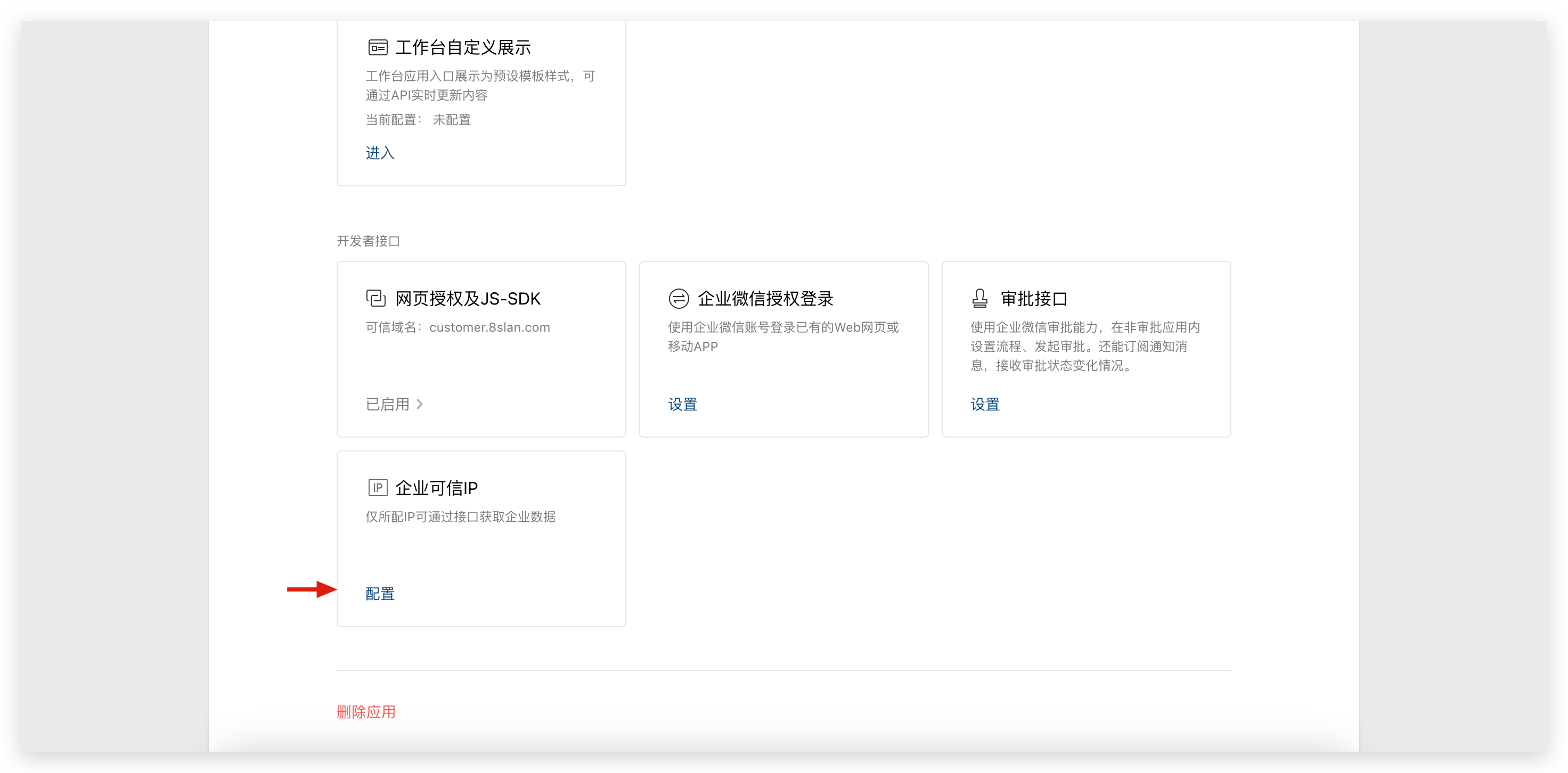
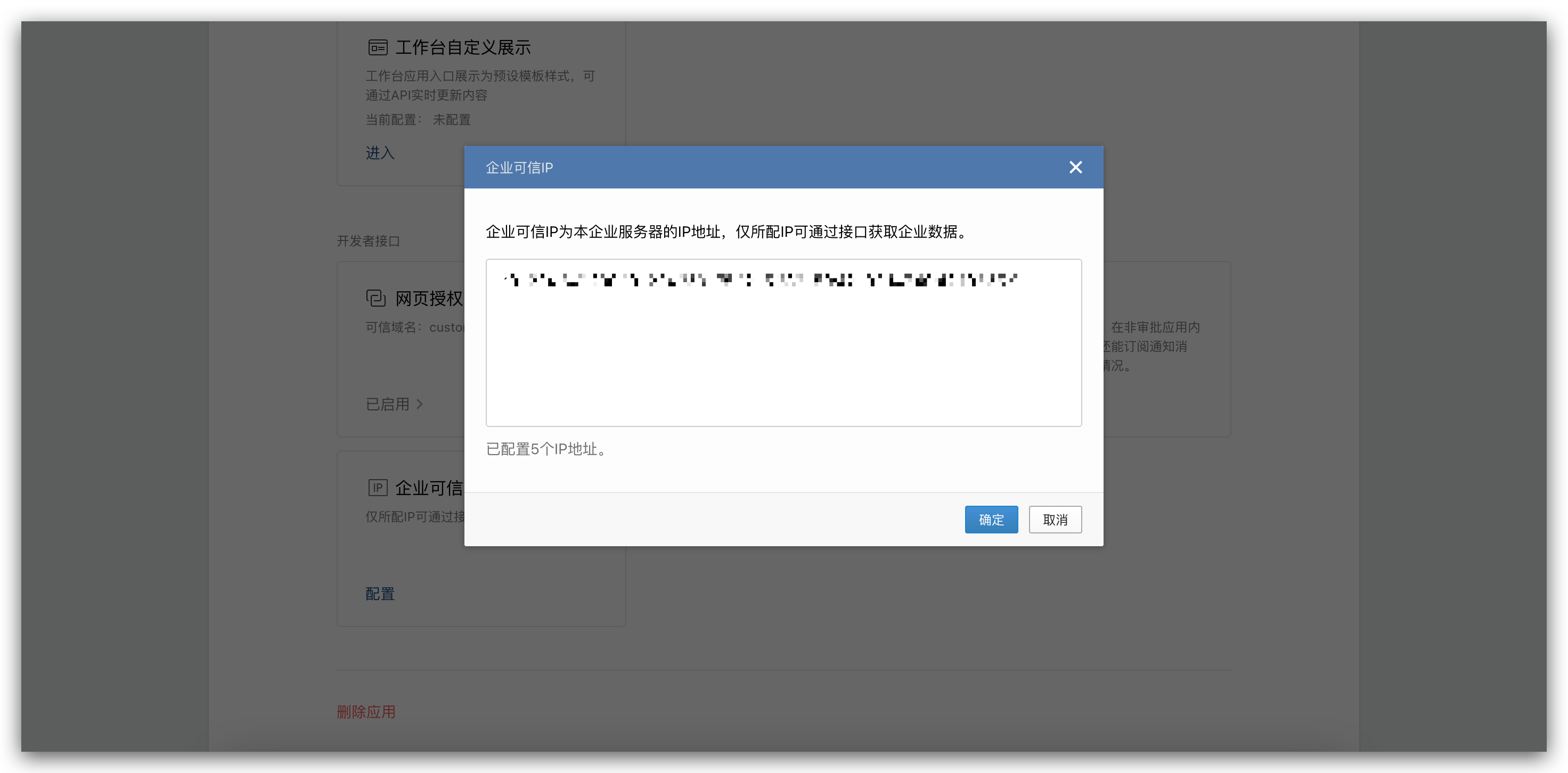
- Configure Trusted Enterprise IP
# Step 2: Configure Zadig Account Integration
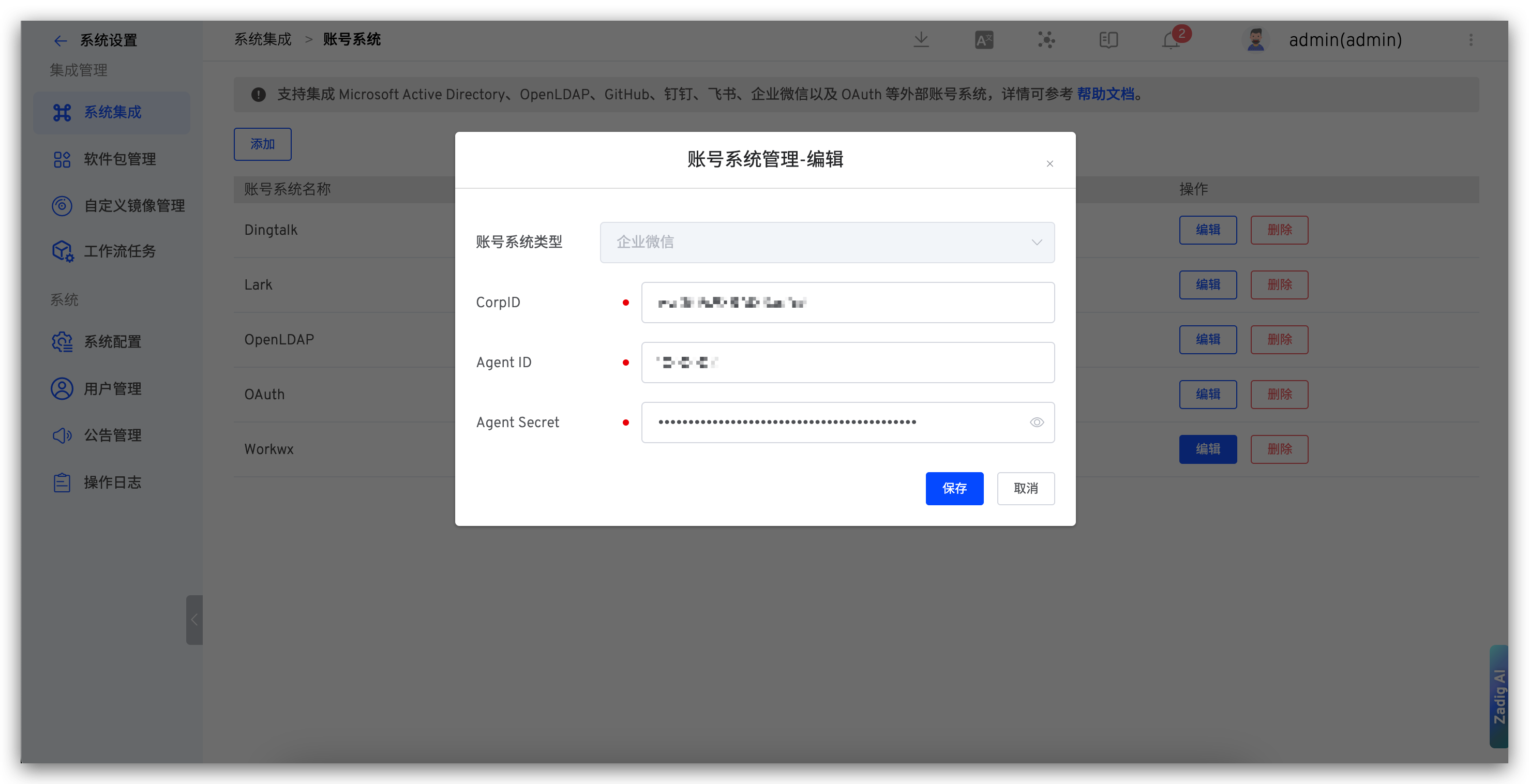
Visit Zadig, click System Settings -> System Integration -> Account System, select Enterprise WeChat, and fill in the EnterpriseID, AgentID, and Secret obtained in Step 1, as shown below.